Top Nerdy Drawing Apps Vol. 1
Archaeological Report
- Status: Active ✅
- First Spotted: August 2026
- Rarity: 💎 Legendary
Want to find something even weirder?
SPIN THE WHEELThe Curator's Note
Throughout the years we have discovered quite a few nerdy drawing apps. Here is our selection of the best.
SpritePaint
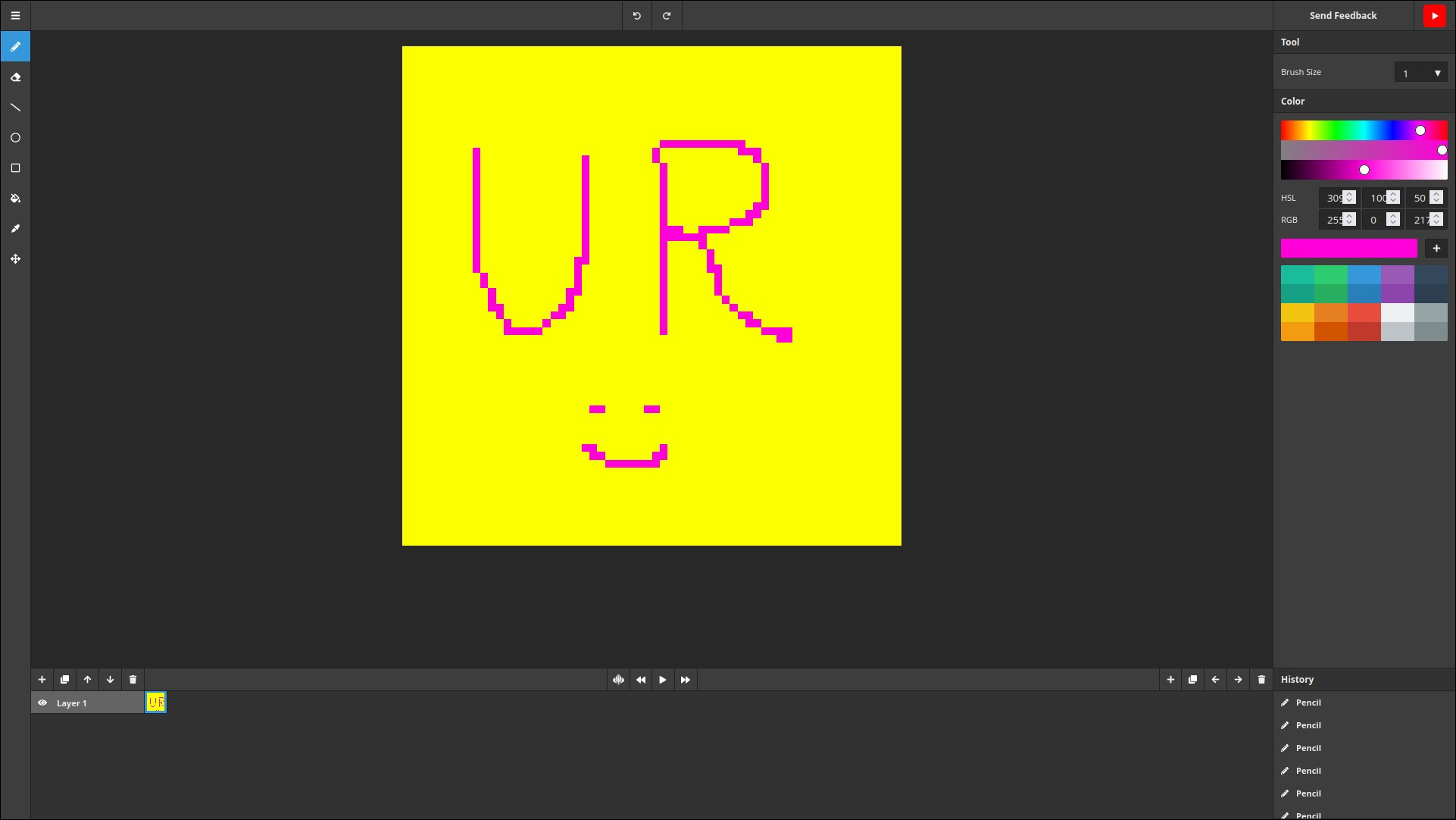
SpritePaint is a free, browser-based pixel art and sprite editor - no download or account needed.
Core tools: pencil, eraser, line, circle, rectangle, fill bucket, eye dropper, and lasso selection, with adjustable brush sizes and X/Y mirror drawing for symmetry.
Work auto-saves in the browser, and it runs on all major browsers/OSes, including Chromebook.
Note: URL Roulette is not responsible for the contents of external links.
kidpix.app
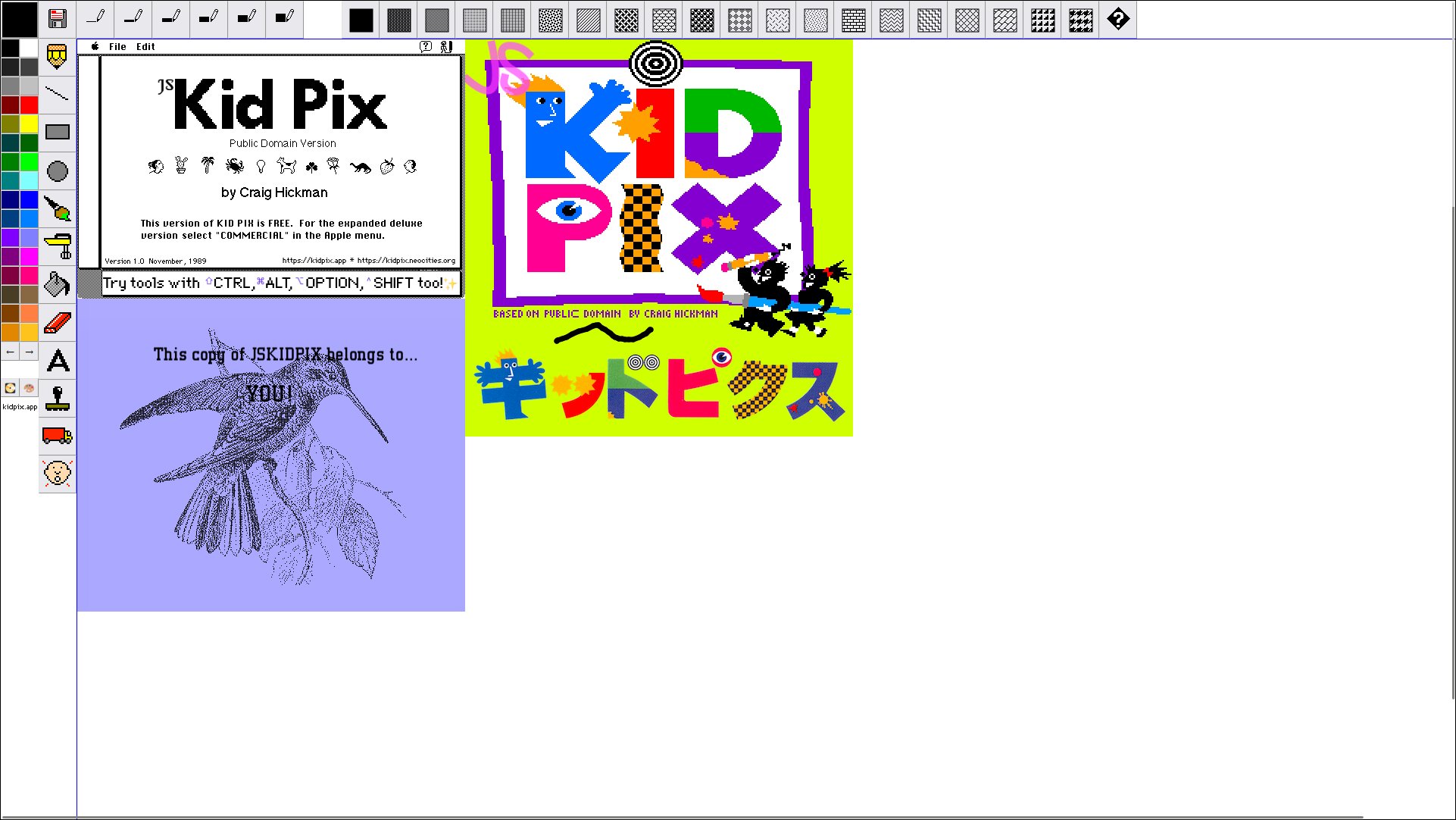
kidpix.app hosts JS KidPix, a web-based recreation of the classic 1990s KidPix children's drawing program, built in JavaScript by developer Vikrum (@vikrum5000).
It's essentially a passion-project tribute/clone rather than a commercial product - no pricing, sign-up, or feature list in the traditional sense, since the "content" is the interactive drawing app itself.
Note: URL Roulette is not responsible for the contents of external links.
ASCII Drawing Board
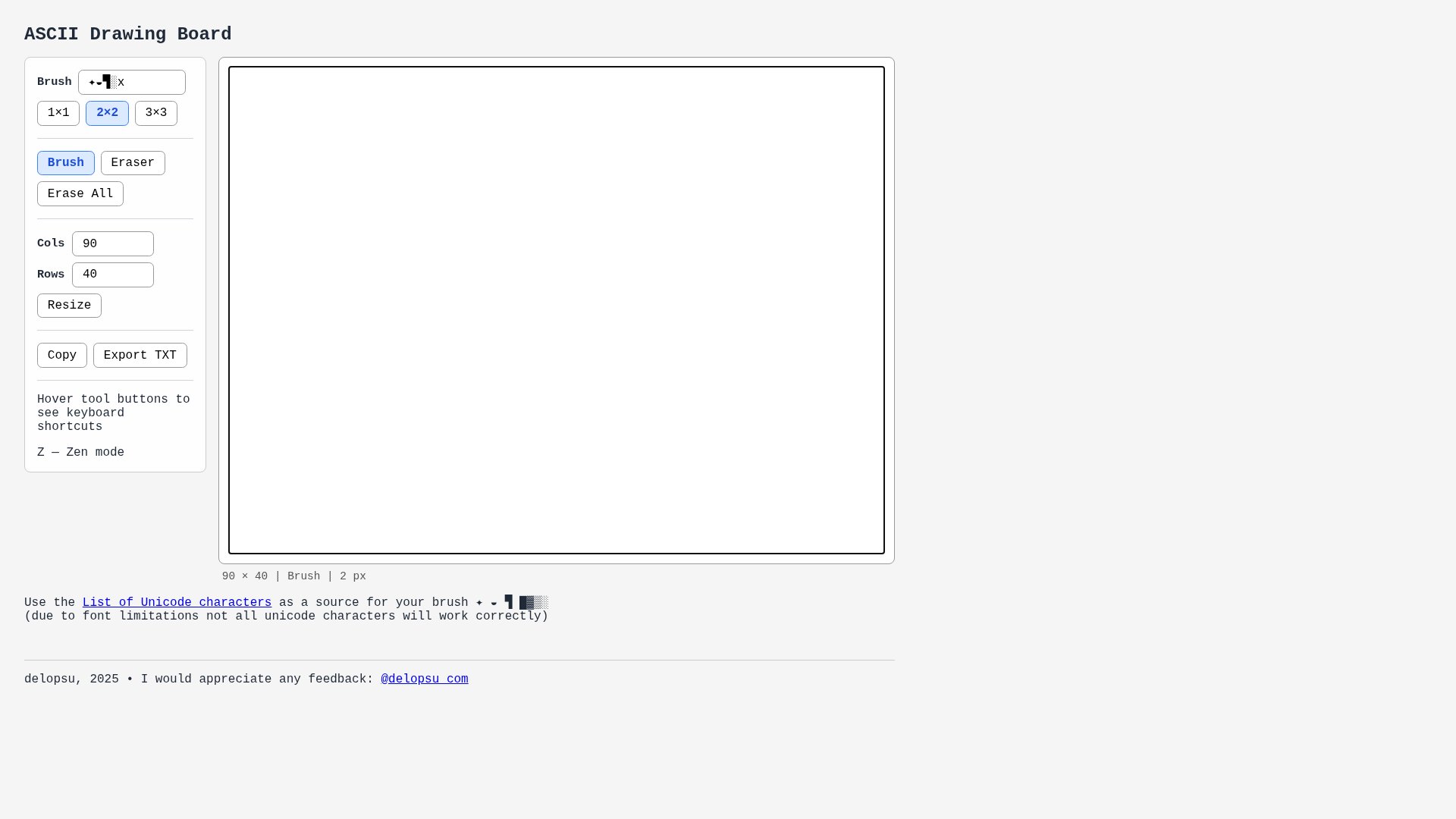
Delopsu's "ASCII Drawing Board" is a lightweight browser tool for creating text-based art. It lets users pick a brush character - nearly any Unicode symbol, not just standard ASCII - and paint it onto a customizable grid canvas, essentially treating each character as a "pixel."
Once finished, artwork can be copied to the clipboard or exported as a plain .txt file, making it useful for things like forum signatures, code comments, or retro-style text art. It's a free, no-frills, single-purpose tool built by an independent creator (delopsu, 2025), who invites feedback via their X/Twitter account.
Note: URL Roulette is not responsible for the contents of external links.